

Your site has been around for months, even years – and yet, Google acts as if it doesn't exist. This isn't inevitable: in the vast majority of cases, a site's invisibility on Google can be explained by a specific technical cause, which can be identified and corrected.
Here's a complete diagnosis, cause by cause.
Blocking at the Source: robots.txt and noindex tags
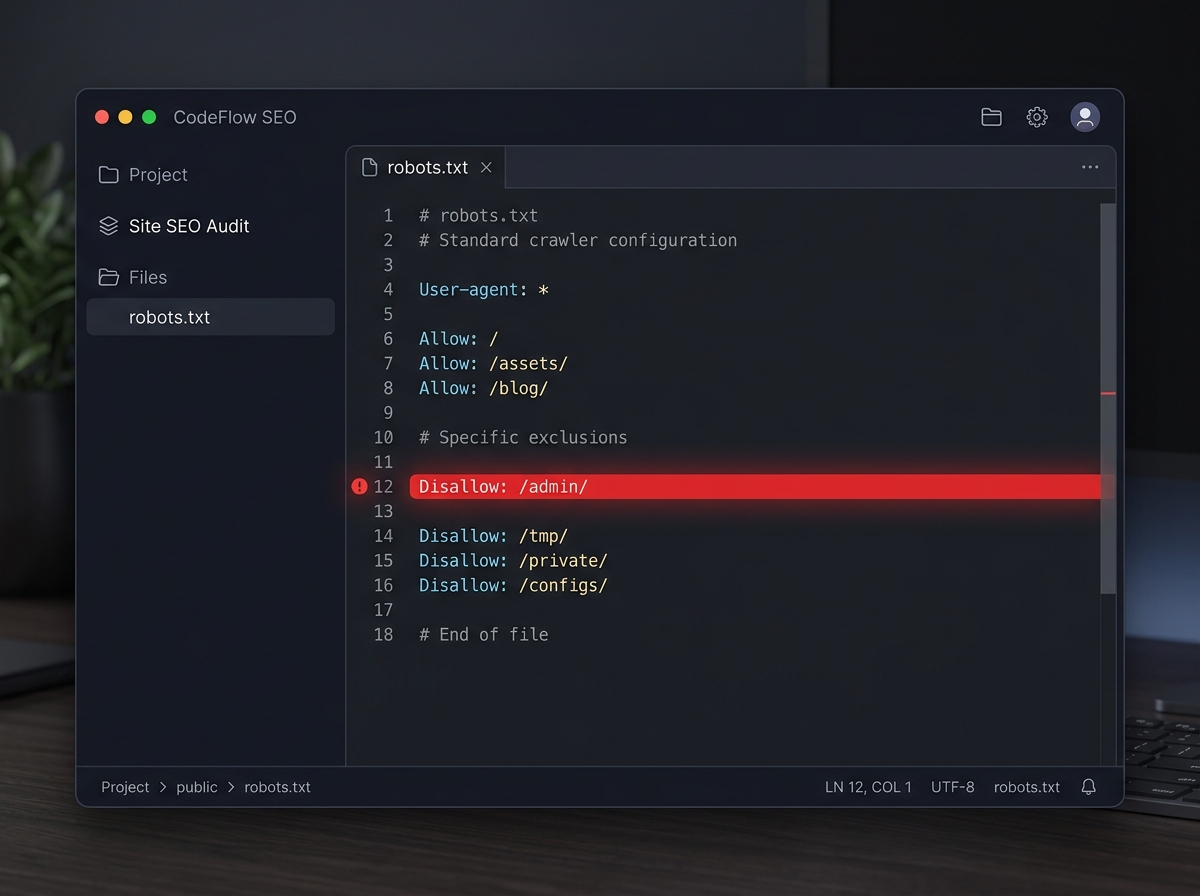
The robots.txt file and the noindex meta tag are the two most frequent culprits – and the least suspected. A developer leaving a development directive in production, a misconfigured WordPress theme, and Google simply cannot crawl or index your site.
Specifically:
Disallow: /in robots.txt blocks all Google bots.<meta name="robots" content="noindex">in a page's<head>explicitly tells Google to ignore it.- Some CMS (WordPress in particular) offer a "Discourage search engines" option that activates this block with one click – and which is often forgotten to be deactivated after going live.
How to detect? Type site:yourdomain.com into Google. Zero results = strong signal. Then check your robots.txt by accessing yourdomain.com/robots.txt, then inspect the source code of your key pages (Ctrl+U) looking for noindex.
How to fix? Remove any unintentional Disallow: / directives, remove noindex tags from pages you want indexed, then submit your sitemap in Google Search Console to speed up re-crawling.
Indexing Issues: Google knows your site but doesn't display it
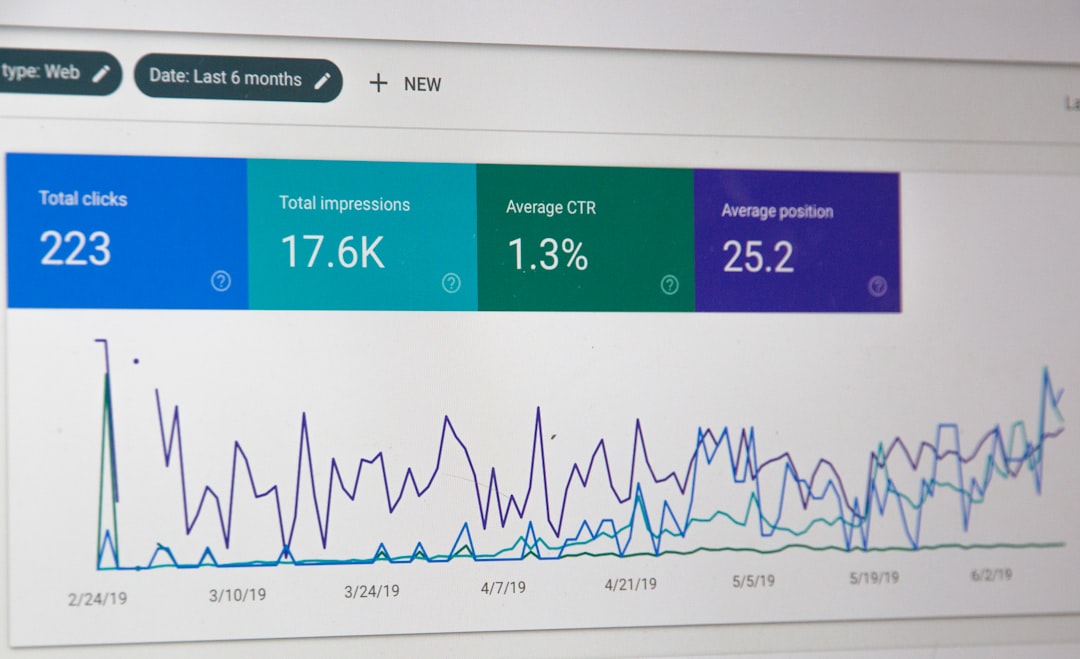
Indexing is the process by which Google records a page in its database to make it available in search results. Being crawled does not mean being indexed.
In Google Search Console, the Indexing > Pages tab shows you exactly which URLs are excluded and why. The most common statuses:
- "Discovered – currently not indexed": Google found the page but chose not to index it, often due to a perceived lack of value.
- "Crawled – currently not indexed": Google visited the page and decided to skip it.
- "Redirect error" or "Not found (404)": broken URLs that waste crawl budget.
An SME site with 50 to 100 pages can easily have 30 to 40% of its URLs excluded from the index without the owner knowing. Check this tab regularly.
Too Thin Content: the most underestimated cause
Google doesn't reward a page's existence – it rewards its usefulness. Content is considered "thin content" when it provides little or no informative value: a page with fewer than 300 words, generic text copied and pasted from a supplier, identical product descriptions, or automatically generated pages without real substance.
Since Google's Helpful Content updates (2022-2023, consolidated in 2024), this type of content actively penalises the entire site – not just the affected pages. A single segment of low-value pages can drag down the entire domain.
What to do? Audit your pages with Google Search Console (performance by URL) and identify those that generate zero clicks in 6 months. For each, choose: enrich the content with concrete and useful information, merge with a similar page (301 redirect), or properly de-index if the page has no value.
Speed, Mobile, and Core Web Vitals: the technical signals that matter
Since the full deployment of mobile-first indexing by Google, it is the mobile version of your site that serves as the reference for indexing and ranking – regardless of whether 60% of your customers visit you from a computer.
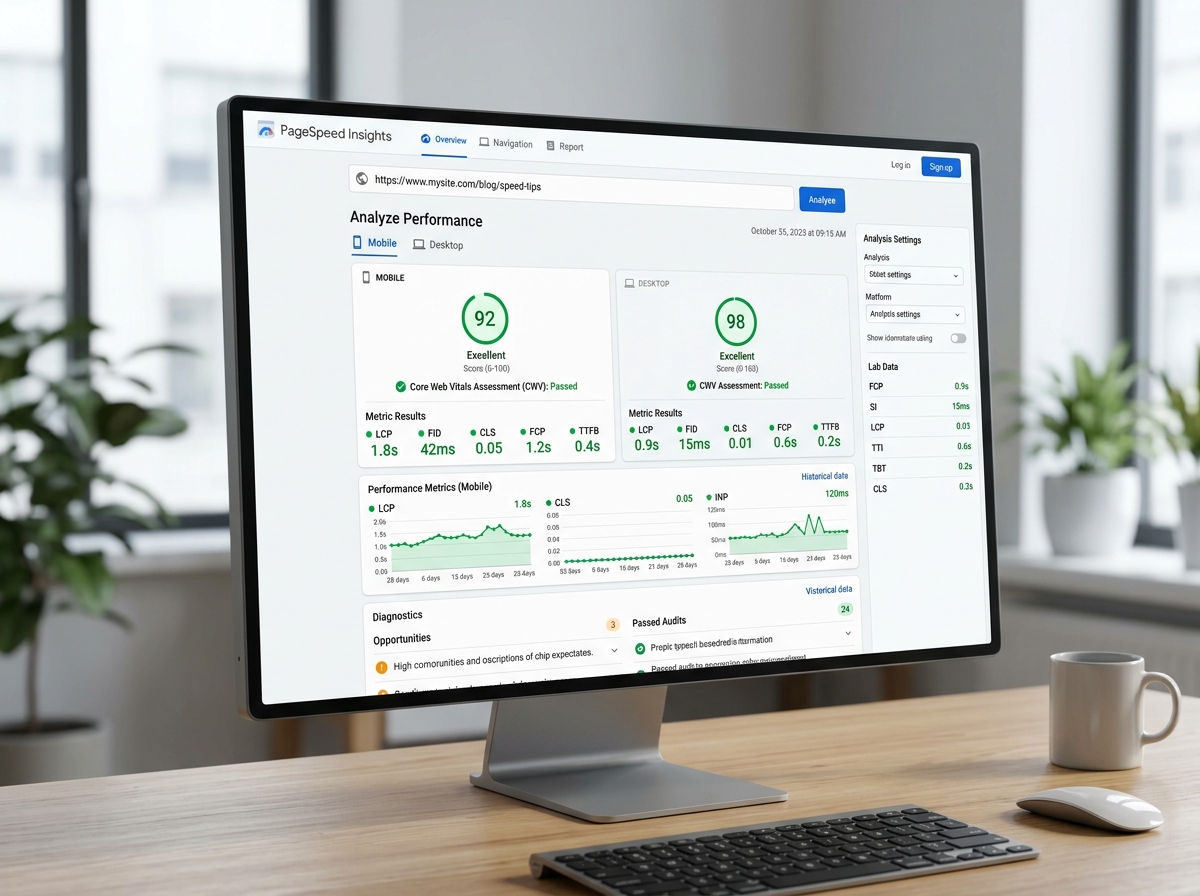
Core Web Vitals are three technical metrics that Google uses as a ranking signal:
- LCP (Largest Contentful Paint): time to display the largest visible element. Target: < 2.5 seconds.
- CLS (Cumulative Layout Shift): visual stability of the page (elements should not "jump" during loading). Target: < 0.1.
- INP (Interaction to Next Paint): responsiveness to user interactions. Target: < 200 ms.
A site that loads in 5 seconds on mobile loses on average more than 50% of its visitors before even displaying its content (source: Google/SOASTA Research). Such a site will be systematically demoted compared to a faster competitor.
How to detect? Use Google PageSpeed Insights or the Experience tab in Search Console. A mobile score below 50 is a warning sign.
How to fix? Optimise your images (WebP format, compression), enable caching, reduce blocking JavaScript scripts, and choose a high-performance host. On WordPress, plugins like WP Rocket or Perfmatters can provide quick gains.
Mis-targeted Keywords: you're optimising for unfindable queries
A site can be perfectly technically sound and remain invisible simply because it targets the wrong queries. "Targeting the wrong keywords" doesn't mean targeting overly competitive terms – it can also mean using your industry's internal jargon that your customers never search for.
Real-world example: a plumber who optimises their page for "residential sanitary installation expert" when their customers are looking for "emergency plumber Paris 15". The first term might generate 10 searches per month, the second thousands.
Basic tools to identify the right keywords:
- Google Search Console: look at the queries you already appear for, even in position 20-50. These are your real opportunities.
- Google Keyword Planner: actual search volumes.
- Google's autocomplete: type your services into the search bar and observe the suggestions – this is what people are actually looking for.
Tools like Semrush or Ahrefs offer very comprehensive keyword analyses, but their cost (from €120/month) and complexity make them less accessible for an SME without dedicated SEO resources. A targeted semantic audit for your sector will give you the same insights, directly actionable.
Lack of Backlinks: your site has no authority in Google's eyes
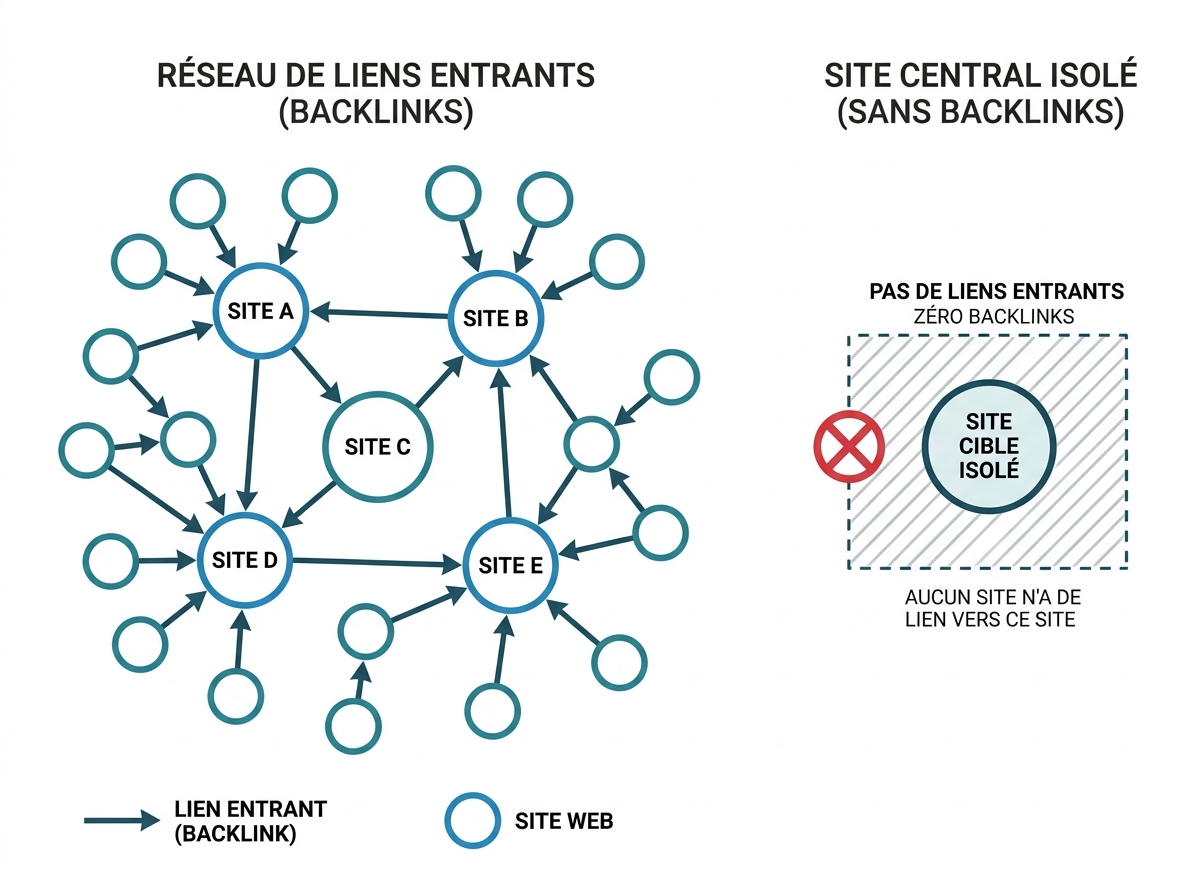
Backlinks (inbound links from other sites) remain one of the most powerful ranking signals. A 2024 Ahrefs study confirms this: 96.5% of pages with no backlinks receive no organic traffic from Google.
For a new site or an SME site that has never worked on its link building, this is often the main cause of invisibility for competitive queries. Google interprets links as votes of confidence: without votes, your site lacks credibility in the eyes of the algorithm.
How to build legitimate backlinks:
- Registration in relevant sectoral and local directories (Chamber of Commerce, Yellow Pages, trade directories).
- Guest posts on blogs in your sector.
- Partnerships with suppliers, clients, or professional associations who can mention your site.
- Local or sectoral press if you have newsworthy information.
Avoid mass link buying or "backlink networks" – Google detects them and can penalise your domain via a manual penalty. See the next section.
New Site: the inevitable waiting period
A site launched less than 3 to 6 months ago may legitimately have low visibility, even with impeccable SEO. Google needs time to crawl, index, and evaluate the reliability of a new domain. This is sometimes called the "Google Sandbox" – an informal probationary period during which new sites struggle to rank for competitive queries.
This doesn't mean you should wait idly. On the contrary:
- Submit your XML sitemap as soon as it's live via Search Console.
- Regularly publish quality content (one targeted blog post per month is enough to start).
- Obtain some initial backlinks through your partners and local directories.
- Verify that all your priority pages are properly indexed.
Progress will be visible after 3-4 months with consistent effort.
Google Penalties: the least frequent but most serious case
A Google penalty can be algorithmic (automatic application of an update like Penguin or Panda) or manual (action by a human Google reviewer following a blatant violation of guidelines). The most common causes: massive link buying, large-scale duplicate content, over-optimisation of anchor text, or cloaking practices.
How to detect a manual penalty? Go to Search Console > Security & Manual Actions. If a manual action is in progress, it will appear here with a description.
A sudden drop in organic traffic coinciding with the date of a Google core update (viewable on the Google Search Status Dashboard) indicates an algorithmic penalty. In this case, analysing low-quality content and the link profile is the first step.
Resolution takes time: allow 3 to 6 months after correction to see a recovery.
Where to start when you don't know the source of the problem
Faced with these multiple causes, the classic mistake is to treat the symptoms without identifying the true source of the blockage. A structured technical SEO audit will give you a complete overview in a few days: blocked pages, quality signals, mobile performance, inbound link profile, keyword opportunities.
If you don't yet have visibility into the real health of your site, a 360° visibility audit at Digitalyser covers all these dimensions – technical, semantic, authority – with recommendations prioritised by impact. It's often the first hour invested that unlocks the next six months.