


91% of web pages never reach the first page of Google (SEO.com, 2026). If you're reading this article, chances are your site is part of this silent majority – not due to lack of effort, but because no one has yet identified the precise blockers hindering your visibility.
A visibility audit is exactly that diagnosis. Not an 80-page report reserved for large corporations, but a targeted analysis that answers a simple question: what's stopping your customers from finding you?
What a visibility audit truly covers
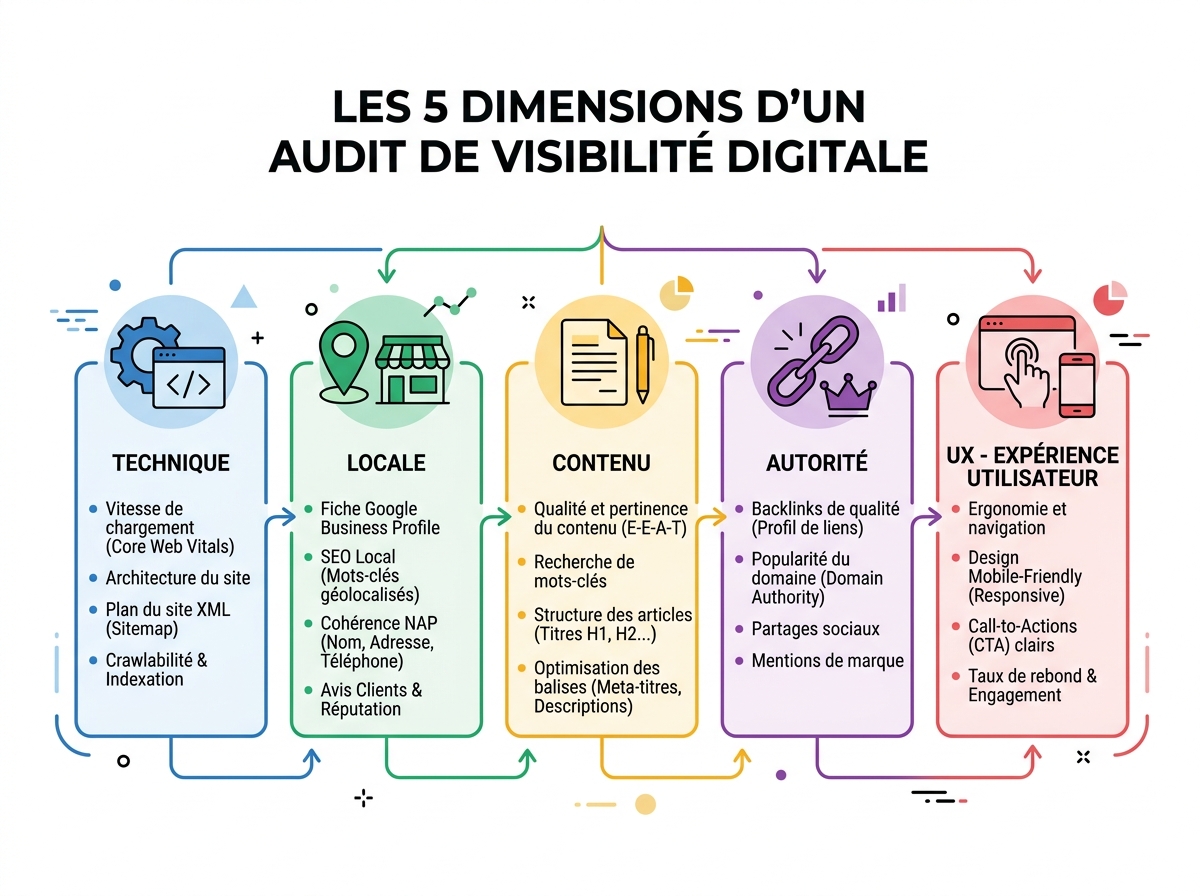
A visibility audit is a structured analysis of your digital presence, designed to identify obstacles to your SEO and untapped opportunities. It's not about ticking technical boxes, but about understanding why your site isn't converting the traffic it should be generating.
A comprehensive audit covers five dimensions:
- Technical: indexing, crawlability, speed, mobile
- Local: Google Business Profile listing, directories, NAP consistency
- Content: semantic relevance, keywords, structure
- Authority: backlinks, mentions, e-reputation
- User experience: navigation, bounce rate, conversion
Each dimension can hide a blocker invisible to the naked eye. That's where the method matters.
Step 1: Check your site's indexing
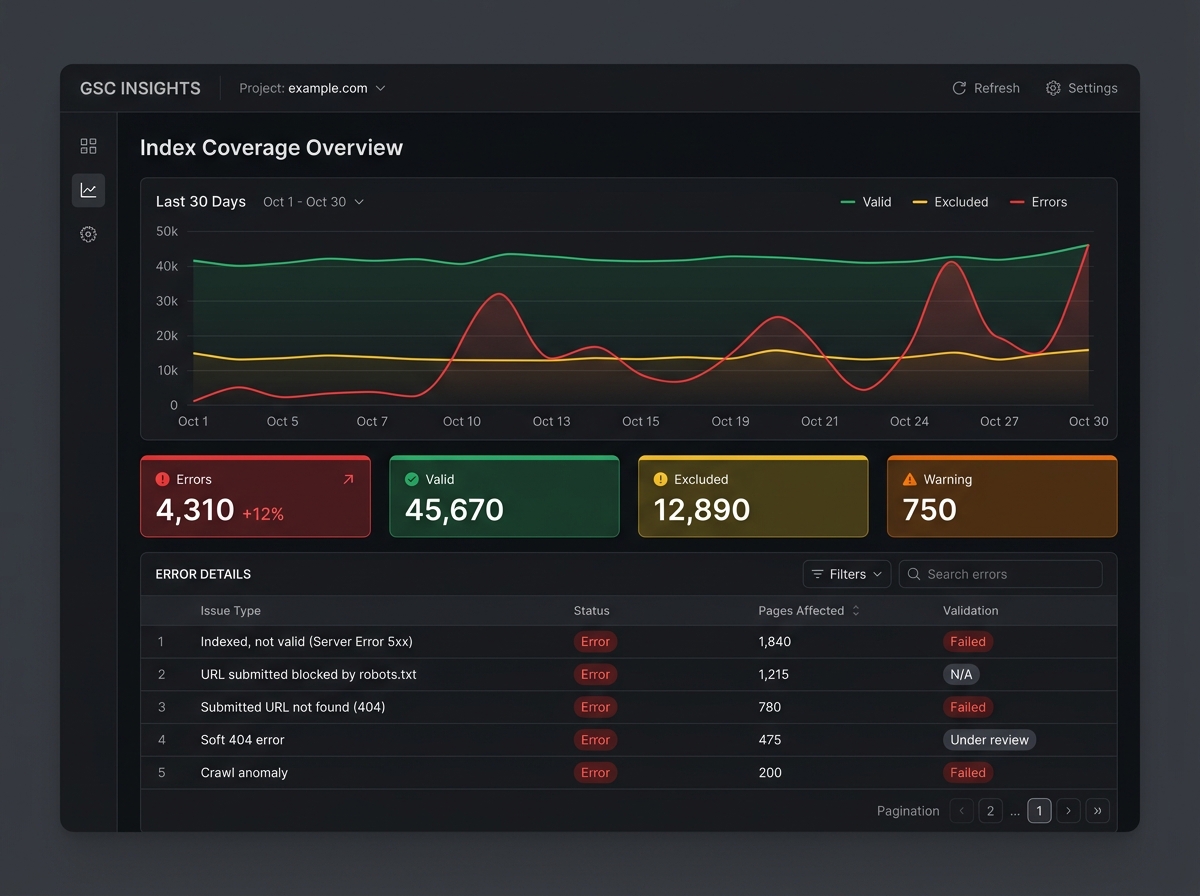
Before any optimisation, Google needs to know about your site. Type site:yourdomain.co.uk into Google: if few or no pages appear, you have an indexing problem – and everything else is useless until it's resolved.
The most common causes for SMEs:
- A misconfigured
robots.txtfile blocking Google's crawlers - A sitemap that's missing or not submitted in Google Search Console
- Pages accidentally set to
noindex(often left after a migration) - A very new site with no incoming links
In practice, we regularly encounter sites that have been active for 2 years with fewer than 10 indexed pages – simply because a developer forgot to remove maintenance mode. The result: zero organic traffic despite quality content.
Immediate action: open Google Search Console, go to the "Coverage" section, and identify excluded or error pages.
Step 2: Audit your local presence
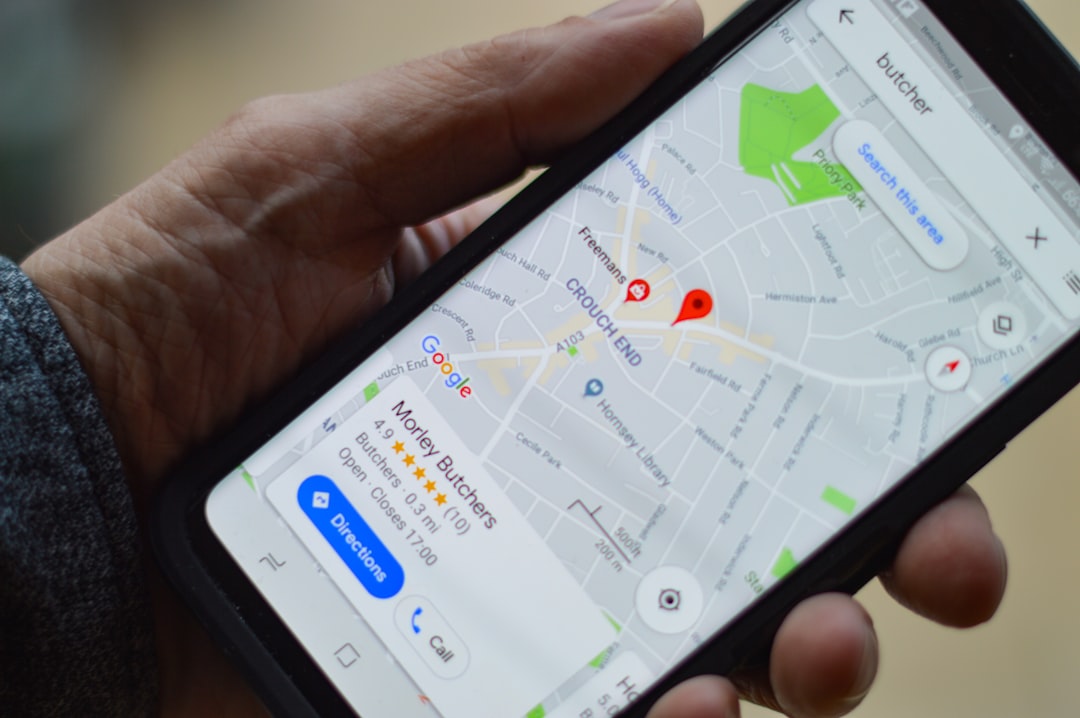
46% of Google searches have local intent (Webnyxt, 2026). For a tradesperson, therapist, restaurateur, or local business, the Google Business Profile listing is often more important than the website itself.
Check these points without delay:
- Is your listing claimed and verified?
- Is the NAP (Name, Address, Phone) information identical across all directories?
- Do you have recent photos and an optimised description?
- Do you respond to customer reviews (both positive AND negative)?
- Are your opening hours up to date, including public holidays?
A NAP inconsistency between your site, Google Maps, and local directories is enough to drop your local ranking. Google interprets these discrepancies as a signal of unreliability.
Our 360° local visibility audit automatically detects these inconsistencies across more than 50 sources in minutes.
Step 3: Evaluate your site's technical health
Technical SEO isn't just for developers. A few indicators are enough to diagnose critical problems:
Loading speed
53% of mobile visitors abandon a site that takes more than 3 seconds to load (Google, 2025). Test your score on PageSpeed Insights – a score below 50 on mobile is a direct red flag.
Mobile compatibility
With 60% of global web traffic coming from mobile (Webnyxt, 2026), a non-responsive site loses the majority of its potential visitors from the very first second.
404 errors and redirects
Every page not found (404 error) is a lost opportunity. Chained redirects (301 → 301 → 301) slow down crawling and dilute the authority of your pages.
Tools like Screaming Frog can detect these errors, but their interface remains complex for non-technical users – and their free version is limited to 500 URLs. Digitalyser's technical SEO audit automates this diagnosis without requiring technical skills.
Step 4: Analyse the quality of your content
Content is the fuel of SEO. But publishing content isn't enough: it must precisely answer the queries of your potential customers.
Warning signs to identify
- Cannibalisation: two pages on your site target the same keyword and compete with each other
- Thin content: pages under 300 words with no real added value
- Lack of structure: no H1/H2 tags, no meta descriptions, generic titles
- Semantic misalignment: your content talks about what you do, not what your customers are looking for
A concrete example: a plumber who optimises their homepage for "plumbing London" misses all transactional queries like "emergency tap leak London SW1" or "night-time drain unblocking". The semantic audit helps identify these missed angles.
The GEO (Generative Engine Optimization) dimension
Since the emergence of Google's AI Overviews and responses generated by ChatGPT or Perplexity, a new question arises: is your business cited by AI? Well-structured content, with clear definitions and sourced data, increases your chances of being extracted and recommended by these generative engines. This is the new frontier of visibility.
Step 5: Measure your authority and e-reputation
A site's authority is built on two pillars: backlinks (incoming links from other sites) and online reputation (reviews, mentions, citations).
Backlinks: quality over quantity
A single link from an authoritative site in your sector is worth more than 50 links from low-quality generic directories. Check your link profile with tools like Ahrefs or Majestic – but keep in mind that these platforms are designed for SEO experts, with monthly fees often exceeding £100.
Reviews and e-reputation
Your Google rating directly influences your click-through rate. A business with 4.5 stars and 50 reviews attracts significantly more clicks than a competitor with no reviews, even if it's better positioned. Responding to negative reviews professionally is a strong signal of trust – for Google and for your prospects.
Digitalyser's netlinking & e-reputation offering specifically addresses this lever often overlooked by SMEs.
Step 6: Prioritise high-impact actions

An audit without an action plan is a report gathering dust in a drawer. The real value lies in prioritisation: not all corrections have the same impact, and an SME's resources are limited.
The matrix to apply is simple:
Priority | Impact | Effort | Examples |
|---|---|---|---|
🔴 Urgent | High | Low | Blocked indexing, unclaimed GBP listing |
🟠 Important | High | Medium | Mobile speed, thin content on key pages |
🟡 To plan | Medium | Medium | Backlinks, long-term content strategy |
🟢 Bonus | Low | Low | Secondary metadata, image alt text |
Always start with the blockers that prevent Google from finding you (indexing, technical issues), before investing in content or paid campaigns. Spending on SEA Google Ads for an unindexed or slow site is like pouring water into a leaky bucket.
Get your diagnosis in under 5 minutes
Manually conducting a visibility audit takes several days and requires mastering a dozen different tools. For an SME or freelancer, this is rarely realistic.
Digitalyser automates this entire diagnosis using artificial intelligence: indexing, local presence, technical aspects, content, e-reputation – everything is analysed in minutes, with a prioritised action plan and recommendations tailored to your sector.
No unnecessary jargon, no £3,000 consultant report. An actionable diagnosis, designed for SMEs and freelancers who want concrete results.
Don't know where to start? The free Digitalyser audit gives you a clear initial view of your priority blockers – no commitment, in under 5 minutes.